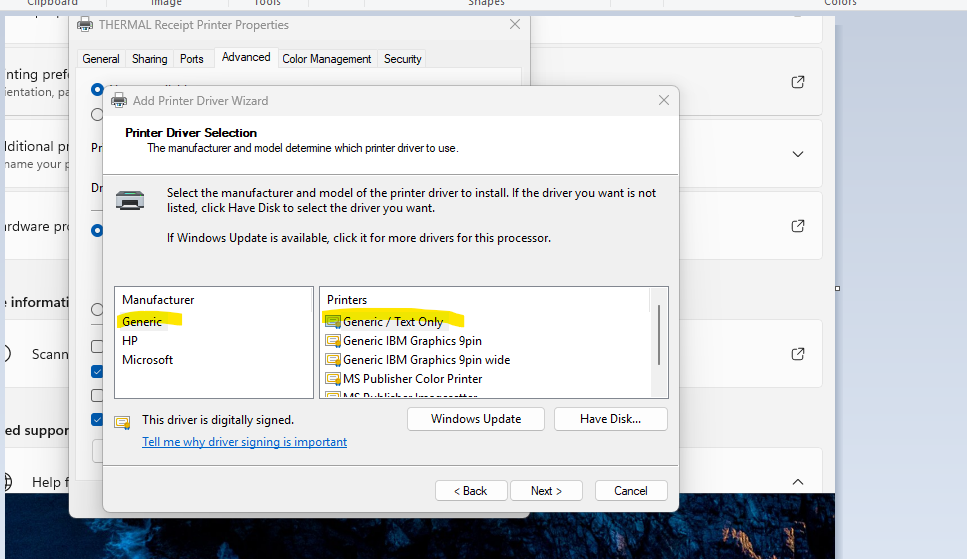
The generic/text only driver is required when using the RP300 or WRP8055 with Windows 11
To install the Generic/Text Only printer on Windows 11,
Go to Settings
Bluetooth & devices
Printers & scanners
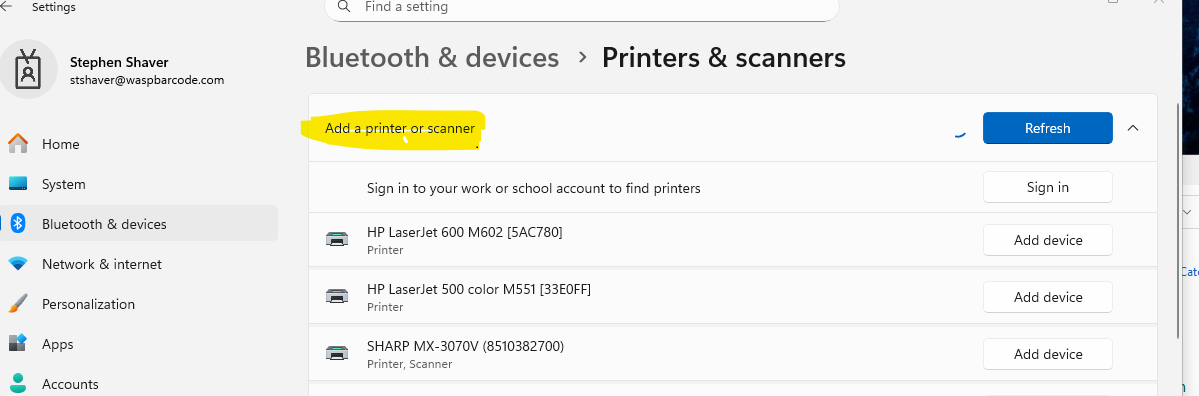
Click Add device
Select Add manually
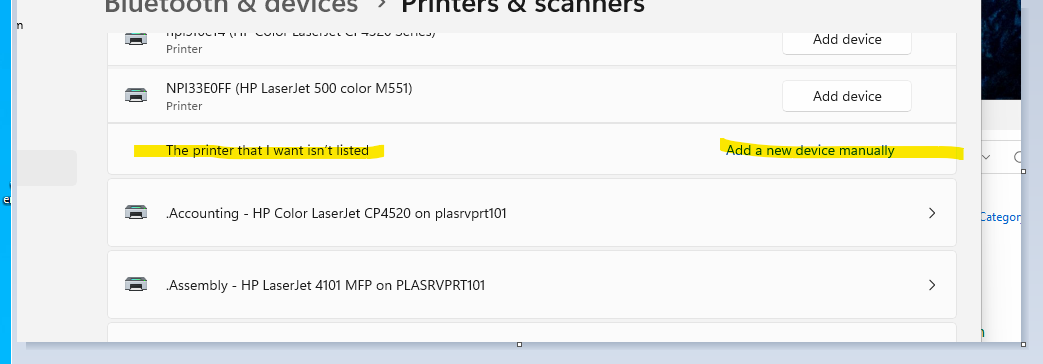
Choose "Add a local printer or network printer with manual settings,"
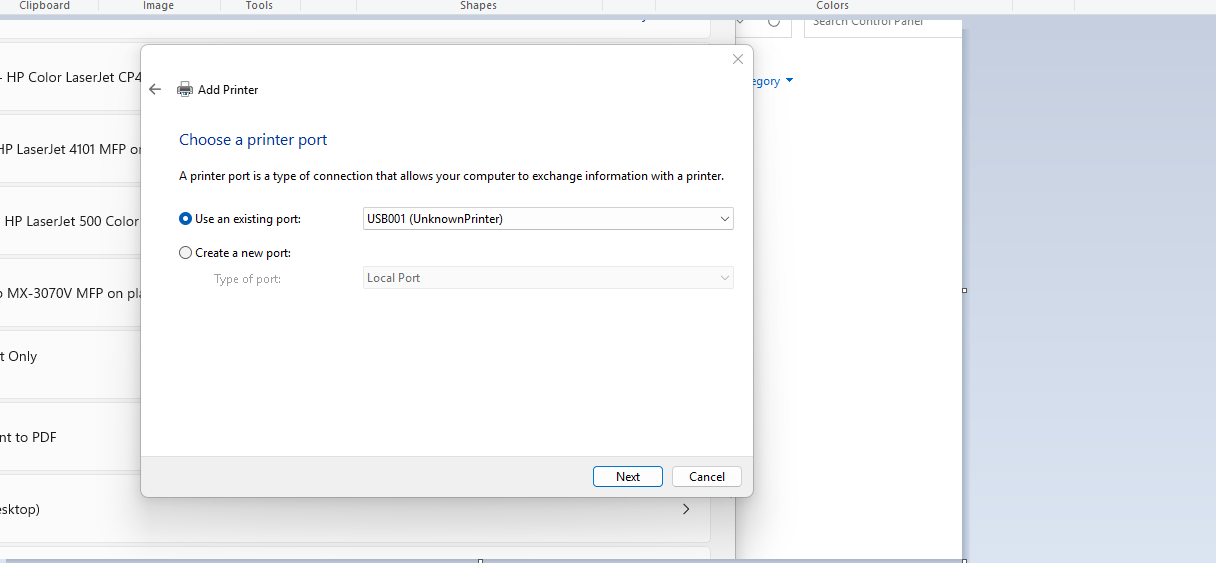
Select the appropriate port, normally USB (the port can be changed after installation)
Under the Manufacturer list, select Generic
In the Printers list, choose Generic/Text Only, name the printer, and finish the installation