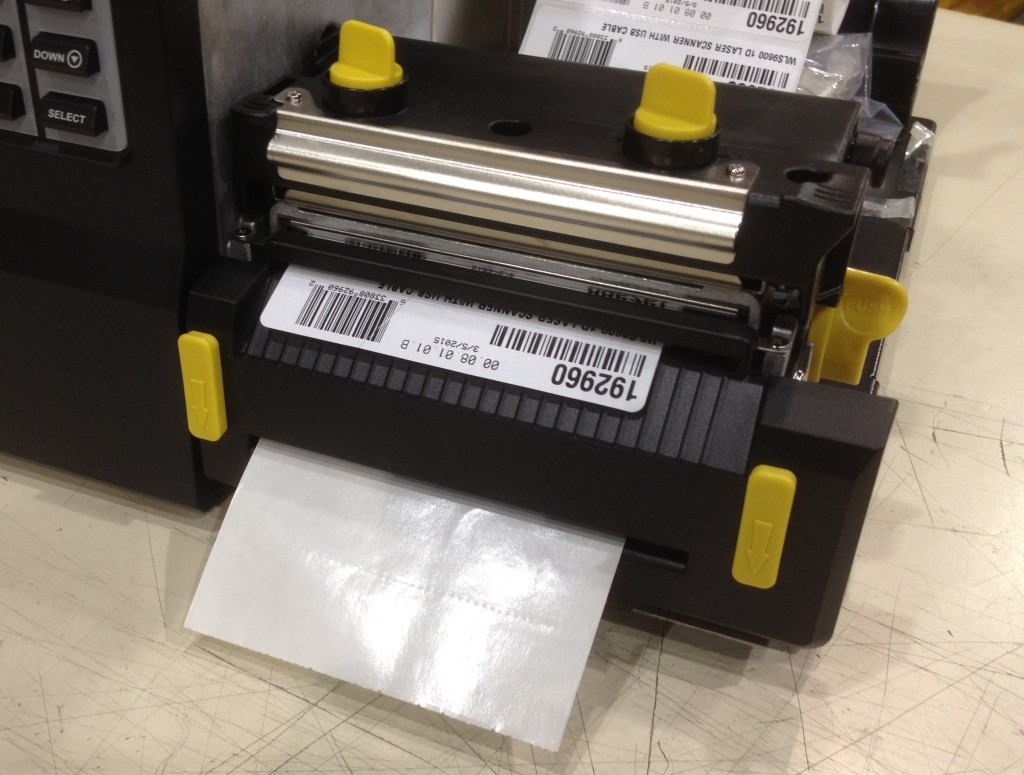
When feeding label stock through the peeler unit, manually peel off one or more labels so there is 3-4 inches of backing with no labels. With the peeler cover opened, feed the backing over the white roller, then down through the slot at the cover bottom.
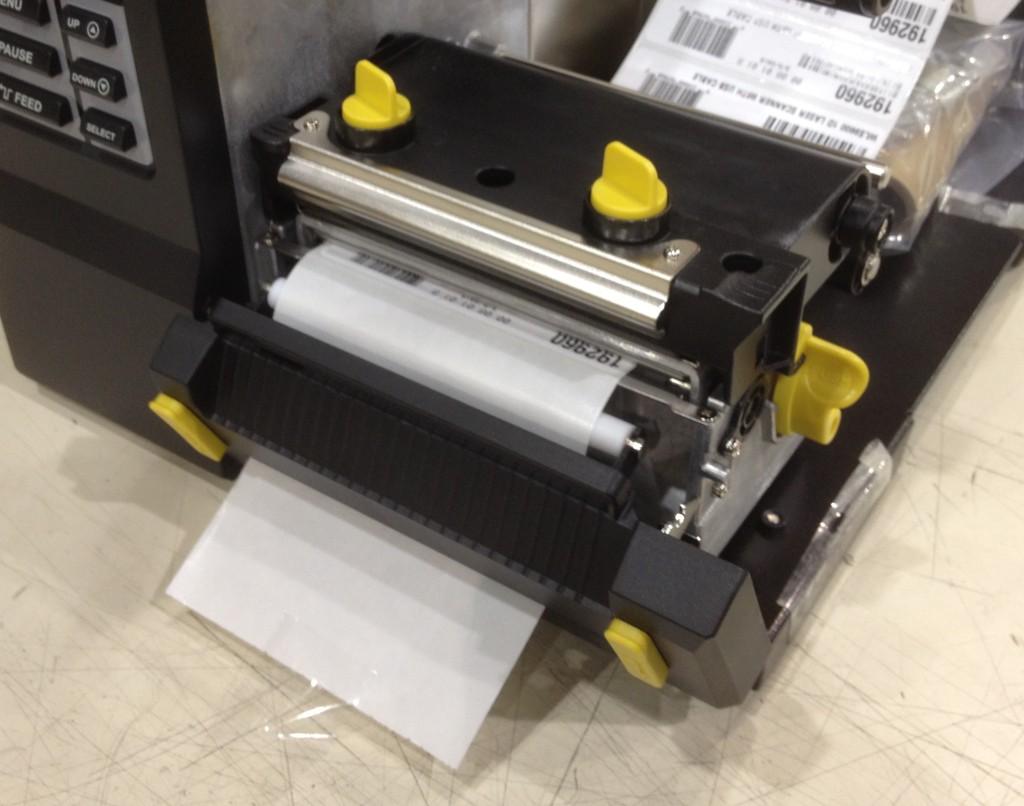
Then close the cover. When labels feed out at print time, the backing will continue down through the slot as the peeled labels are presented to the user above.