


Symptoms:
Using Microsoft Excel, you receive an error message when attempting to use BarcodeMaker:
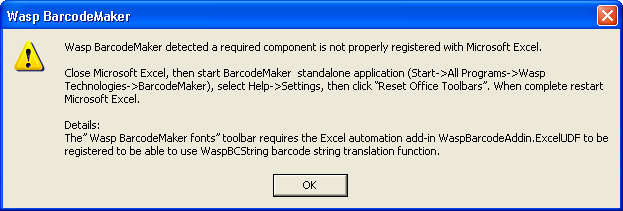
Wasp BarcodeMaker detected a required component is not properly registered with Microsoft Excel.
SOLUTION:
Follow the instructions in the error message.
Close Microsoft Excel, then start BarcodeMaker standalone application (Start->All Programs->Wasp Technologies->BarcodeMaker), select Help->Settings, then click "Reset Office Toolbars". When complete restart Microsoft Excel.