Question: Our customized labels with previous Wasp products included a Prompt at Print object. Is there a way to add a similar prompt to my labels for AssetCloud or InventoryCloud?
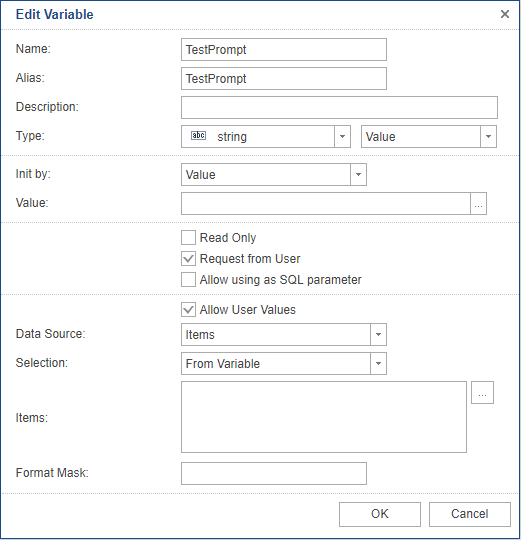
Answer: Yes. When designing the label, you will need to create a new variable that is set to Request from User, then add a text or barcode object on the label that is using that variable as its value.
In the Dictionary pane on the left side, right click Variables and select New Variable. Enter the Name and Alias for your new prompt, then check the box for Request from User, and click OK at the bottom.